Embedding Lead Intelligence into Your Product: A Practical Guide
Turn product events into sales signals by adding identity, firmographic enrichment, scoring, and fast in-product follow-up.

Most product data tells you what users did, not who they are or whether they can turn into pipeline. My takeaway is simple: if I want product activity to help sales, marketing, and RevOps, I need a clear flow for events, identity matching, enrichment, scoring, and action.
Here’s the article in plain English:
Track product and website events in one place from the start
Identify anonymous traffic to companies and known users when possible
Add company and contact data so activity has buyer context
Score fit and behavior together, not just clicks
Trigger action fast in Slack, CRM, and the product itself
Review scores often so old signals do not keep clogging the queue
A few numbers make the case fast:
97% of B2B visitors leave without filling out a form
Teams that wait too long to respond miss the moment, and leads contacted after 5 minutes are far less likely to connect
Many teams still take about 42 hours to respond
Custom builds can take 6–12 months, while a ready-made layer can go live much sooner
What I like here is the order of work. I would not start with alerts or CRM rules. I would start by making sure every event has the same base fields, domains are cleaned up early, and scoring uses the data available at the time each event happened.
That leads to a simple rollout path:
Send clean events
Link users and accounts
Add firm and contact data
Score fit, activity, and timing
Push the score into product, sales, and CRM
Check pipeline results and tune the model every quarter
If I had to boil the full piece down to one line, it would be this: turn product usage into a sales signal by adding identity, company data, and fast follow-up inside the product flow.
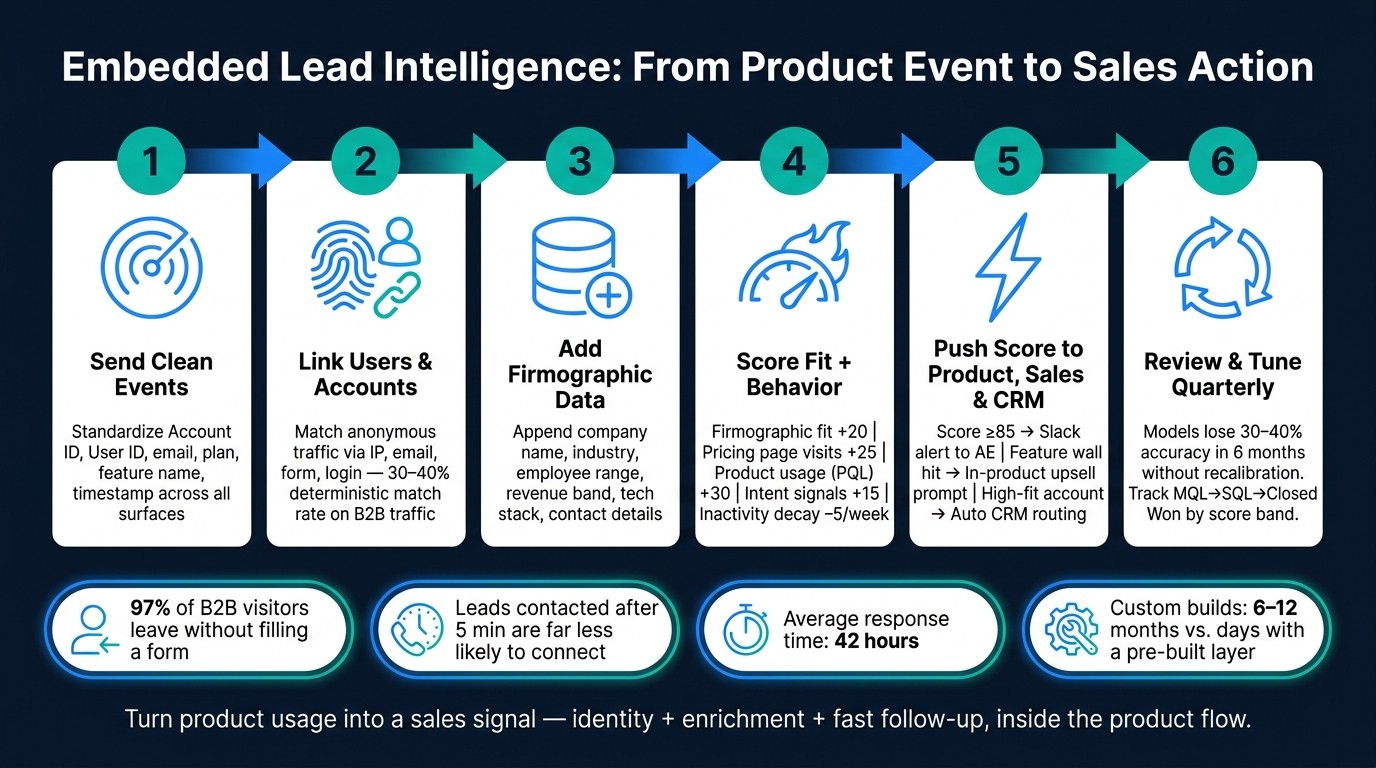
Lead Intelligence Pipeline: From Product Event to Sales Action
Design the Lead Intelligence Architecture Before You Build
Before you write a single line of code, map how data will move through the system.
Teams that skip this usually pay for it later. Scoring logic ends up spread across microservices. Enrichment logic gets hardwired into app code. Then every change turns into a cleanup job.
The architecture choice you make here shapes two things over time: how easy this system is to maintain and how fast your intelligence layer can respond. And that speed matters. It’s what lets the product surface company, contact, and intent signals fast enough to power alerts, routing, and data-driven segmentation for personalization.
With the problem defined, design the data path before you connect tracking, enrichment, and scoring.
Map the Data Flow From Event to Action
Treat the pipeline like a simple event flow: an action fires, the event gets normalized, enrichment and matching run, then scoring and activation happen.
For that flow to work, every event needs the same core fields from the start. At a minimum, standardize on Account ID, User ID, email, plan, feature name, and timestamp.
Without those anchors, things get messy fast. Scoring and enrichment will run on partial data. Routing rules will be harder to trust.
Two details tend to get missed:
Normalize identifiers early. Strip
www,http/https, and trailing slashes from domains before matching starts. Ifacme.comandwww.acme.comare treated as different, you’ll end up with duplicate records and a split account history.Score each event using the data available at that event’s timestamp, not the current record state. That helps you avoid leakage.
This setup also makes it easier to push scores and account context back into the product in real time.
Use a Dedicated Intelligence Layer Instead of Scattered Logic
The most common mistake is baking tracking, enrichment, and scoring logic straight into the product.
At first, it feels fine. Then the cracks show. A scoring rule changes, and now someone has to edit application code. You add a new enrichment provider, and that means another integration inside the core codebase. The goal here isn’t just cleaner data. It’s faster in-product action.
Keep visitor identification as a data source, not a destination; route its output to the systems your team already uses.
A dedicated intelligence layer flips that setup. Your product sends events through a webhook. A central router - like a custom Lambda or middleware - takes in those events, runs enrichment and matching in parallel, and sends outputs to your CRM, Slack, and data warehouse at the same time.
That split keeps roles clear. The app stays focused on user experience. Scoring, enrichment, and routing live in the intelligence layer.
When matching, enrichment, dedupe, and routing all sit in one place, product code stays lighter and updates get easier. Before data reaches the CRM, check for existing email, account, opportunity, and customer records in one place.
Set Up Tracking, Identification, and Enrichment With LeadBoxer
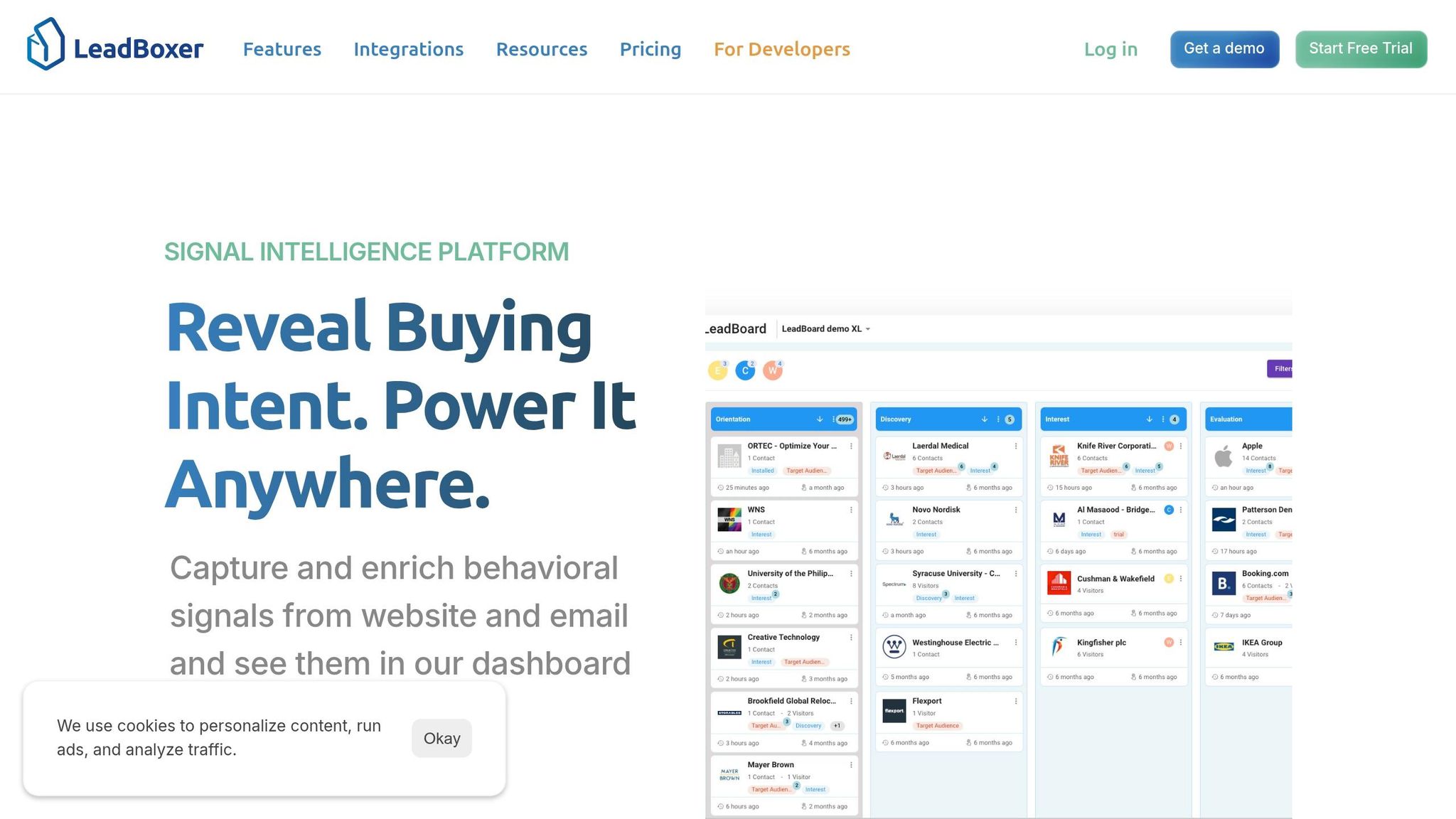
With the setup in place, connect the three inputs that power the intelligence layer: tracking, identity resolution, and enrichment. Start with event capture. Then move to identity resolution. After that, add enrichment.
Capture Product and Website Events in Real Time
First, connect the event sources that feed LeadBoxer.
Add the LeadBoxer tracking script across every website and app surface:
This script captures pageviews and sessions on its own.
For product actions like trial starts, seat invites, feature adoption, or subscription upgrades, use OTLogService.sendEvent(name, map) to send custom events. Keep event names stable and machine-friendly, like trial_started, seat_invited, and subscription_upgraded. That makes them easy to map to LeadBoxer custom fields.
If you want account context tied to the very first pageview, define ot_onload() before the script loads and pass the data through _otmap.
For backend actions such as billing changes, upgrade requests, or trial starts, use the Server-Side Events API to POST events straight to LeadBoxer. As LeadBoxer says:
"Values sent from your backend are trusted, stable and not impacted by browser limitations."
Resolve Anonymous Traffic to Companies and Known Users
LeadBoxer links anonymous sessions to companies and known users through IP-to-company matching, email link tracking, form submissions, and explicit login or userId events.
When it captures a stable identifier like an email address or internal userId, it automatically stitches that identity to earlier anonymous sessions. Those visits then roll into the same account record used for scoring and routing.
Use lb_uid, email, or uid to stitch sessions together. For backend calls, set proxy=true so LeadBoxer keeps the original geo and user-agent data.
On B2B-heavy sites with U.S. traffic, deterministic matching often lands in the 30%–40% range.
Enrich Records With Firmographic and Contact Data
Once LeadBoxer identifies a visitor by IP or domain, it adds firmographic data like company name, industry, employee range, estimated revenue band in USD, headquarters location, and technology stack. For known contacts, enrichment can also include contact-level details and behavioral history.
You can trigger enrichment by IP address for anonymous traffic or by domain when batch-enriching records already in your pipeline. To keep spend under control, use page-level filters so enrichment runs only on high-intent pages like your pricing page or demo request form, not every blog visit.
The first 25,000 credits are free. After that, pricing starts at €0.0005 per credit.
After the first integration, check event logs in the LeadBoxer app to confirm everything is firing as expected. This is where small gaps show up fast, like missing properties or identity stitching issues. Fixing them early is a lot easier than cleaning up broken data later.
With events flowing in, identities stitched, and records enriched, scoring and activation can use the same set of signals.
Build Scoring and Activation Workflows
Next, turn those signals into priority and action. Use the same identity and enrichment signals to rank accounts, trigger follow-up, and keep sales focused on live intent.
Score Leads, Accounts, and Intent Using Product Signals
Not every signal should count the same way. Lead scoring looks at individual behavior, like three pricing-page visits in one week. Account scoring rolls those signals up to the company level. Intent scoring adds outside research activity. The best models mix fit, behavior, intent, and decay.
A simple pattern works well here: weight velocity over volume. Three pricing-page visits in 48 hours say more than 15 blog visits spread across six months.
Here’s how the main signal types map to LeadBoxer and scoring:
Signal Type | Example Signal | Data Source | How LeadBoxer Captures It | How It Affects Score |
|---|---|---|---|---|
Firmographic | Revenue >$50M, uses Salesforce | Enrichment API | Appends data to identified domains | Base fit; +20 points |
Behavioral | 3+ visits to pricing page | First-party tracking | JS pixel / event tracking | High intent; +25 points |
Product Usage | Invited 3 team members | Product analytics via API | Custom event tracking | PQL trigger; +30 points |
Intent | Researching competitors on review sites | Intent integrations | Third-party research signals | Buying window; +15 points |
Negative | No activity for 14+ days | Activity monitoring | Score decay logic | Decay; -5 points/week |
Add score decay. If you skip it, queues get clogged with accounts that looked hot months ago but have gone quiet. A simple half-life rule - subtracting a few points per week of inactivity - helps keep the queue centered on current intent.
Use Scores to Drive In-Product Personalization and Sales Alerts
Scores only matter if they lead to action. Once the model is live, push those scores into product, sales, and CRM workflows.
For in-product personalization, use firmographic data from LeadBoxer to change onboarding and prompts based on company size or role. A 500-person enterprise account trying the product for the first time should not get the same setup flow as a 10-person startup. And when a high-fit account hits a feature wall - maybe they’ve used 80% of their trial quota - that’s the moment for an upsell prompt, not a generic upgrade banner.
For sales alerts, set a score threshold. 85 out of 100 is a common starting point. When an account crosses that line, send the AE a Slack alert with the score, the account name, and the recent actions that caused it. That last part matters. If the AE can see why the score jumped, they have a much better reason to reach out.
For CRM routing, combine account-level scores with firmographic fit and send leads to the right rep automatically. A high-score enterprise account may need a different AE than a mid-market account. Industry, employee count, and revenue band are often enough to make that routing work cleanly.
The table below shows the main activation channels, what triggers them in LeadBoxer, the usual use case, and who owns the next step:
Activation Channel | Trigger Source in LeadBoxer | Typical Use Case | Primary Team |
|---|---|---|---|
In-Product Prompt | Feature wall hit / high score | Upsell to enterprise tier | Product / Growth |
Sales Alert (Slack) | Score crosses 85 threshold | Immediate AE follow-up | Sales (AEs) |
CRM Routing | High-fit account identified | Assign to Tier-1 AE | RevOps |
Email Sequence | ICP match + intent signal | Warm outreach | Marketing |
Feature Gating | ICP = Enterprise | Unlock premium trial for high-fit accounts | Product |
Track Pipeline Impact and Refine Over Time
After launch, track whether these workflows move pipeline - not just lead volume.
A scoring model is a starting point, not a set-it-and-forget-it system. Models drift. If they aren’t recalibrated, they can lose 30%–40% of their accuracy within six months. That’s why a quarterly review of MQL→SQL→Closed Won data should be the minimum.
The main metrics to watch are:
Conversion rate by score band
Pipeline influenced by scored segments
Demo requests or expansion opportunities tied to each activation channel
This is where the model either proves itself or falls apart. If low-score leads close at the same rate as high-score leads, tighten the thresholds. If one activation channel - say, in-product upsell prompts - drives more pipeline than Slack alerts, put more weight on the signals behind it.
Use closed-won data to reset thresholds and keep the model tied to revenue. Review score bands each quarter and adjust signals that no longer predict pipeline.
Conclusion: A Step-by-Step Rollout Plan for Embedded Lead Intelligence
Roll out embedded lead intelligence in a clear sequence: track events, resolve identity, enrich records, score fit and behavior, and then trigger actions in Slack, CRM, and the product UI. The point is simple: surface the right company, the right contact, and the right next step inside the product, not in some separate tool.
If you identify visitors before enrichment, you can turn more of your existing traffic into qualified leads. And with a pre-built layer, you can get this live in days instead of months.
Use this as your launch checklist:
Centralize events, identity, and enrichment in one embedded layer, then feed CRM, Slack, and the product UI. When tracking logic is scattered, signals get messy and scoring starts to break. One source of truth makes lead management and everything downstream more reliable.
Score both fit and behavior. Firmographic fit tells you who is worth pursuing. Behavioral signals tell you when. You need both. One without the other leaves a gap.
Connect scores to action, then review thresholds and decay on a regular basis. A score sitting in a database doesn't help anyone. It starts to matter when it triggers an in-app prompt, a sales alert, or an automatic routing decision - and when it stays accurate as behavior shifts over time.
FAQs
How do I start if my event data is messy?
Start simple. The goal is to avoid over-engineering and get a few quick wins on the board early.
Add a visitor identification pixel, send that visitor data to your workflow tool, and connect your CRM with deduplication in place. That gives you a clean base to work from without turning the setup into a science project.
From there, set up Slack alerts for high-intent visitors, build a basic scoring model for hot and warm leads, and brief sales on how to use the data. Then, as data quality gets better, tighten your thresholds and adjust routing rules over time.
What signals should count most in lead scoring?
The most important signals are behavioral and intent signals, like page visits, content engagement, demo requests, and pricing page visits.
Why do these matter most? Because they point to active buying interest and urgency. They show that someone isn’t just browsing - they’re moving closer to a decision.
How quickly should sales act on high-score accounts?
Sales should act on high-score accounts within 1 to 24 hours. But if you want the best shot at turning that interest into revenue, the sweet spot is within 1 hour.
That fast response window can make a big difference in conversion rates. When an account is already showing strong intent, time matters. Wait too long, and the moment can slip away.
Related Blog Posts
Build on the LeadBoxer Platform
APIs for tracking, company identification, enrichment and scoring. The first 25,000 credits are free.